Thomson Reuters · 2017
User Provisioning
Designing the first-time onboarding and registration flow for a Thomson Reuters enterprise tool — turning a bare email-and-code form into a guided, illustrated first-run experience.

Initial Concepts
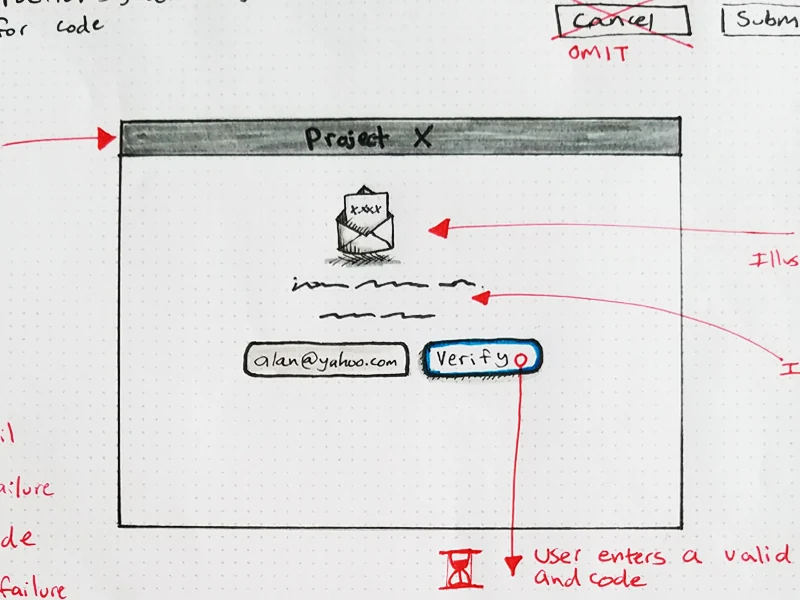
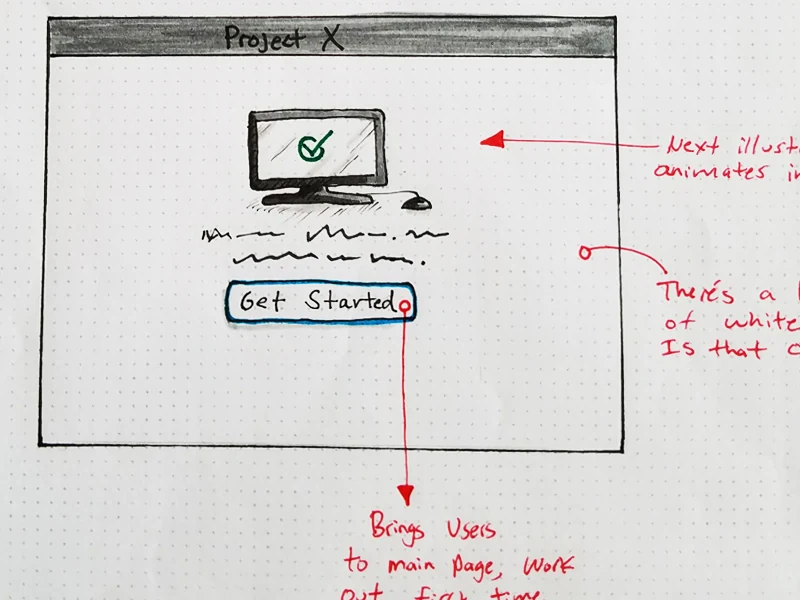
There were a couple of parameters for first-time users: a valid email was needed, along with a registration code. At the time, the onboarding step was just a simple form field, leaving a lot of white space open for illustration or instructional text. Beyond that, I had permission to add some creative touches to the page.
Some initial sketches helped map out the steps — where the illustration would sit, where the copy would go, and how the form itself would read.
Inspirational Sources
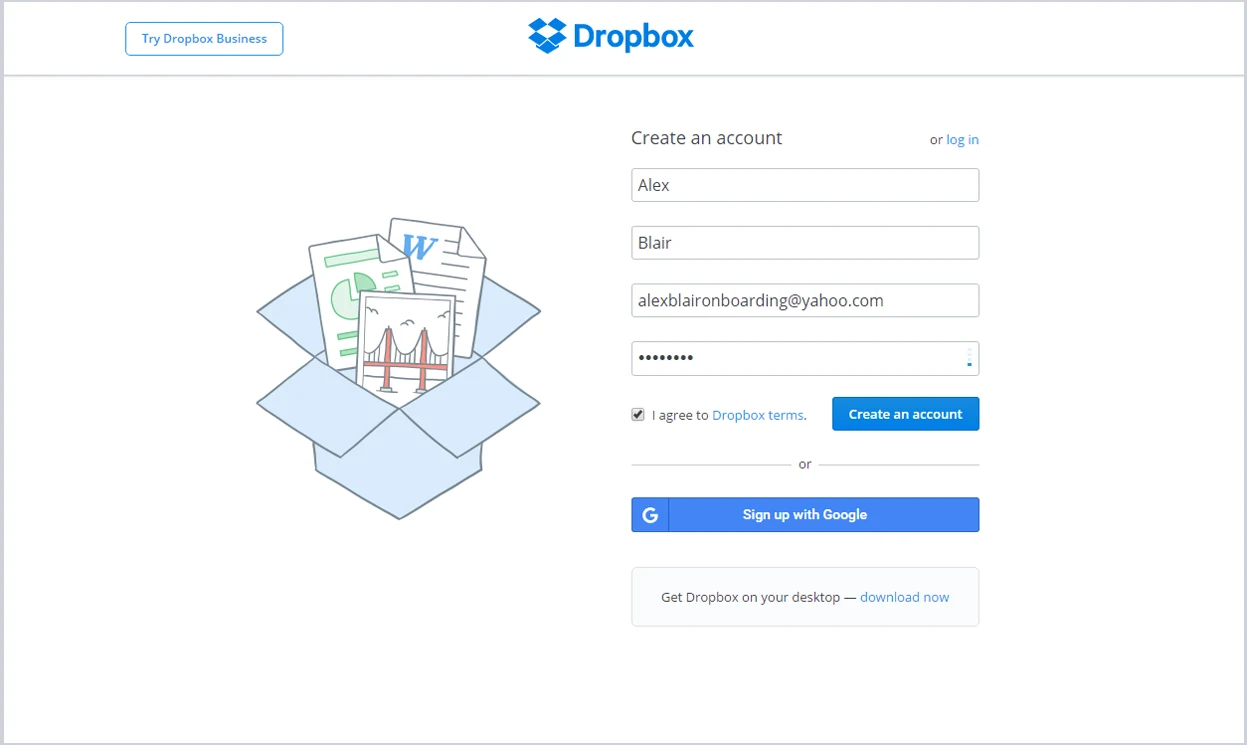
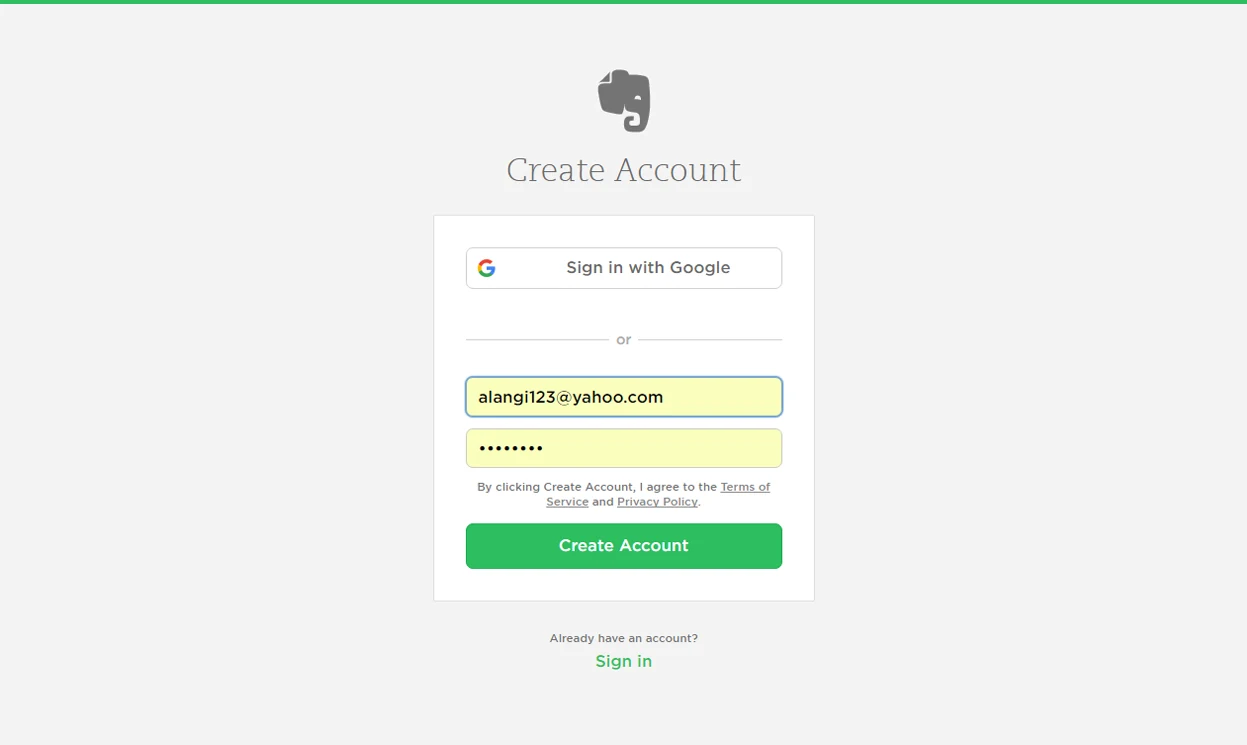
It's hard not to be in awe of the onboarding processes of successful companies like Dropbox, Evernote, and Yahoo. I compiled a set of images to see how the best in the industry approach first-time experiences. Simplicity, key illustrations, and concise instructions seemed to be common factors behind an effective onboarding flow.
Design Prototypes
The illustrations were crafted in Sketch and Illustrator, and the interactive animations were built in Principle. I created two approaches, each with a different level of complexity and visual treatment, but both following the same three-step verification process: email verification, registration code, and completion.
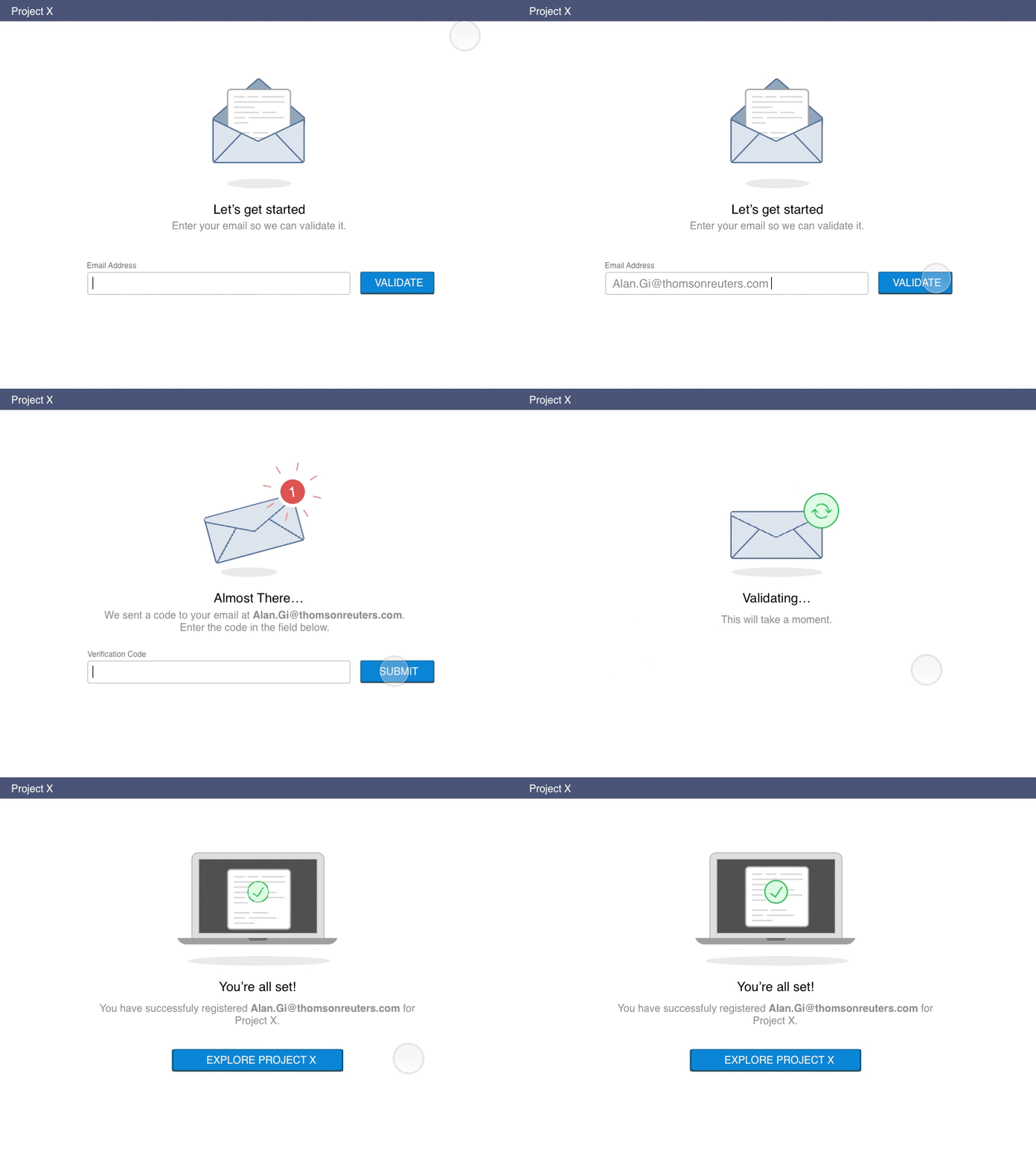
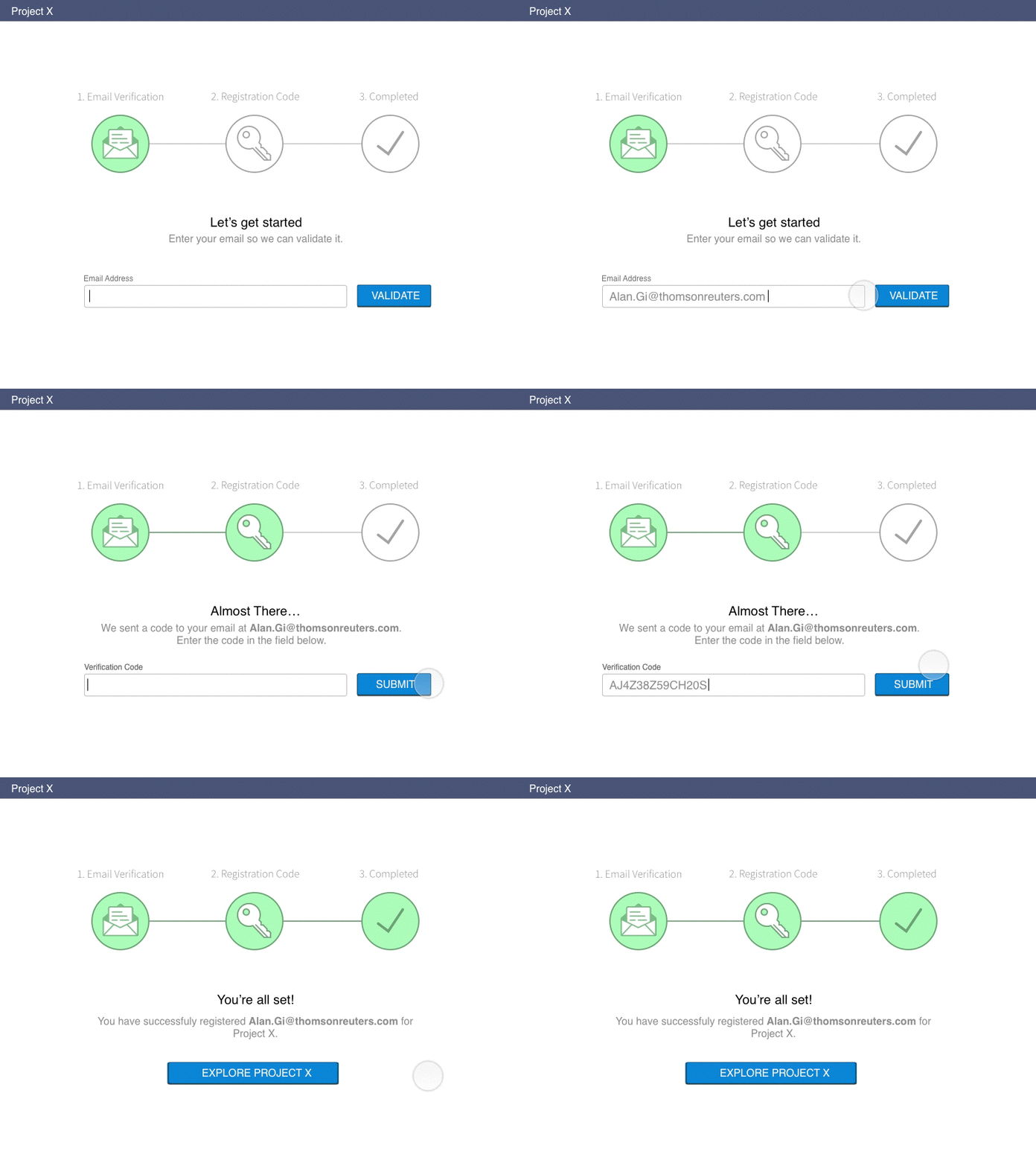
Both prototypes were built the same way: illustrations in Sketch and Illustrator, then brought into Principle to animate the transitions between the email, code, and completion steps. Prototyping the motion this early meant the timing and sequencing could be tested and felt before any of it reached engineering.
Tools — Sketch, Illustrator, Principle